
 OpenPost
X

Set up X OAuth 1.0a user authentication for a self-hosted instance.
OpenPost uses X OAuth 1.0a user authentication to connect an account and publish on its behalf. Your X developer app needs the API access and user permissions for the actions you plan to use.
Before you start
- Set
OPENPOST_APP_URLto your instance's public HTTPS origin. - Have access to the X Developer Portal and an X account for a real connection test.
- Check your X API plan and endpoint access. A successful OAuth connection does not establish posting, analytics, or Direct Message access.
Configure the X app
-
In the developer portal, create a Project and App, or open an existing App.
-
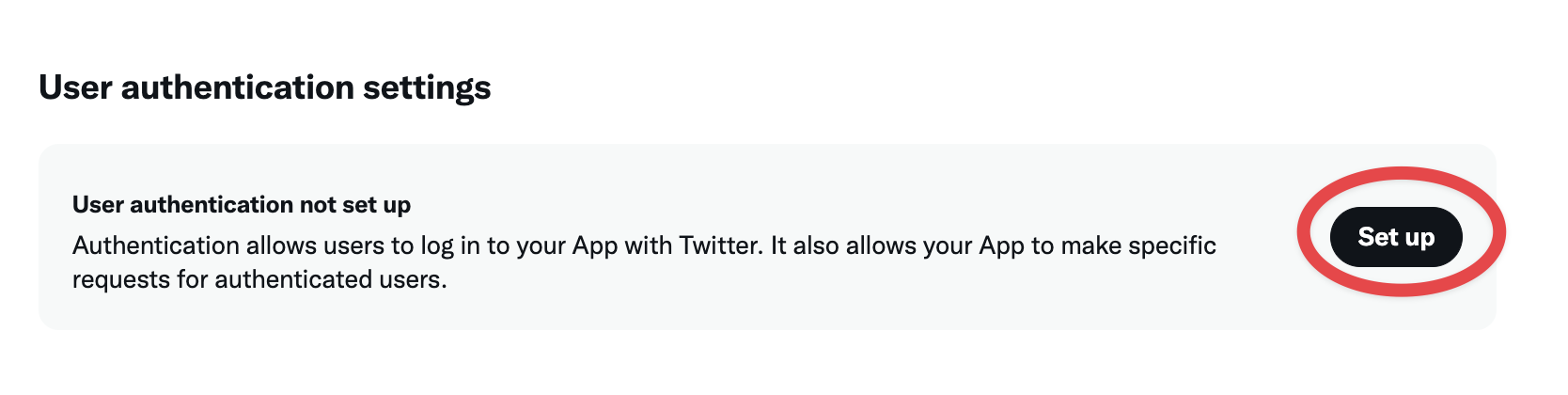
In its user authentication settings, enable OAuth 1.0a. Choose Read and write permissions for publishing. Choose Read, write, and Direct Messages only if you will use OpenPost's optional Direct messages feature and your X API access supports it.
-
Register this callback URL, then save the user authentication settings:
https://post.example.com/api/v1/accounts/x/callback -
Open Keys and tokens and copy the API Key and API Key Secret (the OAuth 1.0a consumer credentials). Do not use the OAuth 2.0 Client ID and Client Secret in the JSON below.
X explains developer app permissions and the OAuth 1.0a flow.
Save the app in OpenPost
Use this provider entry when saving your app credentials. Replace the example domain with your OpenPost address.
[
  {
    "provider": "x",
    "client_id": "your-x-api-key",
    "client_secret": "your-x-api-key-secret",
    "redirect_uri": "https://post.example.com/api/v1/accounts/x/callback"
  }
]
Connect and test
- In Settings → Workspace → Social accounts, select X and authorize your account.
- Publish a short text test. Confirm its status in OpenPost and open the post on X.
- If you need media, analytics, comments, or Direct messages, test each with the same X app and account. Optional account features start disabled and need to be enabled per account.
If it does not work
- OAuth fails: Check that OAuth 1.0a is enabled and that the callback matches the configured URL exactly. Confirm you copied the API Key pair, not the OAuth 2.0 credentials.
- OAuth succeeds but a post fails: Check app permission level, API plan, and the X error returned for that operation. Reconnect after changing permissions.
- Text or video rejected: OpenPost uses the connected account's subscription tier when X provides it. When the tier is missing or stale, it applies standard limits until it can refresh the profile.